

 EN
EN  FR
FR  ES
ES 
Social Login
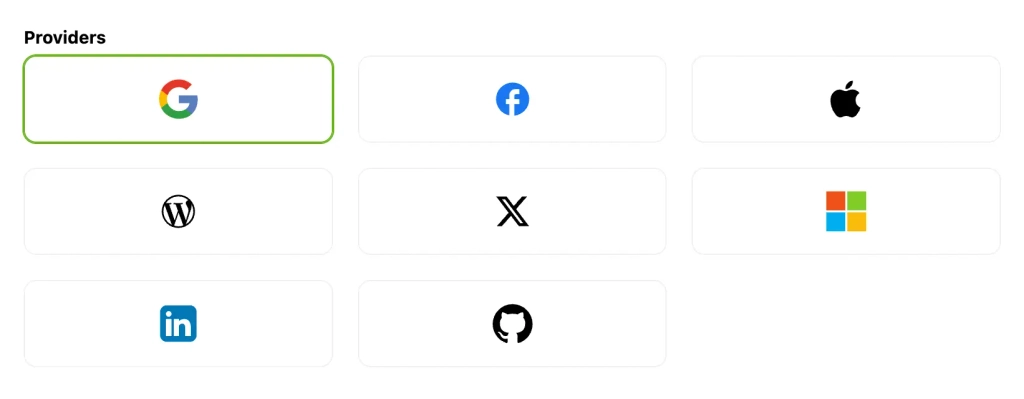
Creating an account, choosing a password, retrieving your login information: these steps can make it difficult to access a customer portal. The module Social Login by WPMasterToolkit allows your visitors to log in or sign up using an account they already have. Google is available in the free version. With WPMasterToolkit Pro, you can also offer Facebook, Apple, X, Microsoft, LinkedIn, GitHub, and WordPress.com. This guide explains how to set up each provider and integrate social login with WordPress and WooCommerce forms.
Why Choose It
Social login simplifies the user experience: users choose a provider, authenticate with it, and authorize the sharing of the information needed to log in. WPMasterToolkit then locates their WordPress account or creates one if registration is allowed. The provider’s password is not shared with your site. For an online store, a members-only area, or a community, the benefit is reducing login barriers—especially on mobile devices—without removing the traditional login form.
The free version lets you get started with Google, including on supported WooCommerce forms. The main benefit of the Pro plan is the choice of seven additional providers: Facebook for a general audience, Apple for users of its ecosystem, Microsoft and LinkedIn for a professional audience, GitHub for developers, X for communities on that platform, and WordPress.com for users of its ecosystem. You only enable the providers that are relevant to your audience.
How to Set It Up
- Enable the module. Install and activate WPMasterToolkit, search for "Social Login" in its modules, and then open its settings. For paid providers, use the Pro version with an active license. Each provider has its own credentials: a Google app cannot be used to configure Facebook or Apple.
- Set up your environment. Use an HTTPS site with a valid certificate. Provide a privacy policy, terms of use, and a procedure for requesting account deletion. Store access to developer accounts and secrets in a secure manager. Console terminology may change; the key elements remain the application, its permissions, its credentials, and its callback URL.
- Define your registration policy. If you want to allow new users to register, enable registration in the general settings of WordPress. This setting also applies to native registration: do not enable it without reviewing your access policy. In the tab
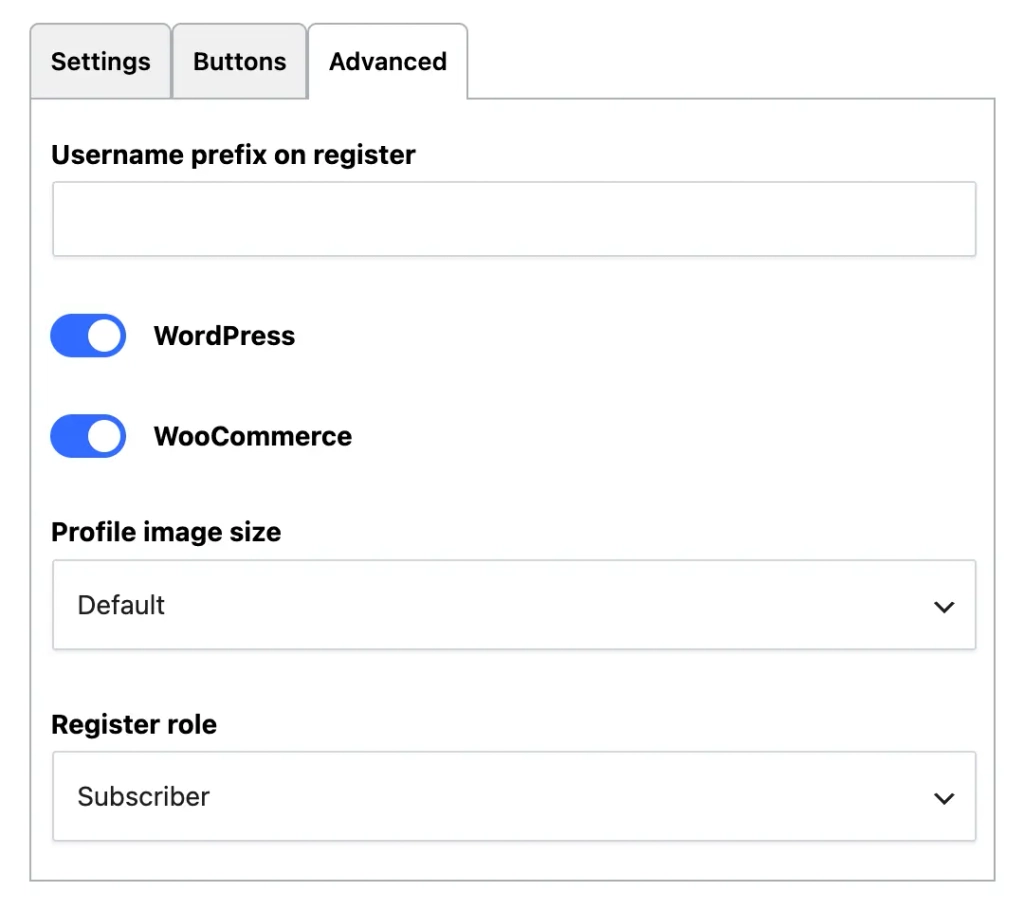
Advancedfrom the supplier, choose an appropriate role withRegister role, usually "Subscriber" for a standard website or "Customer" for an online store. Never automatically assign the Administrator role to public registrations. - Copy the module's URL. The field
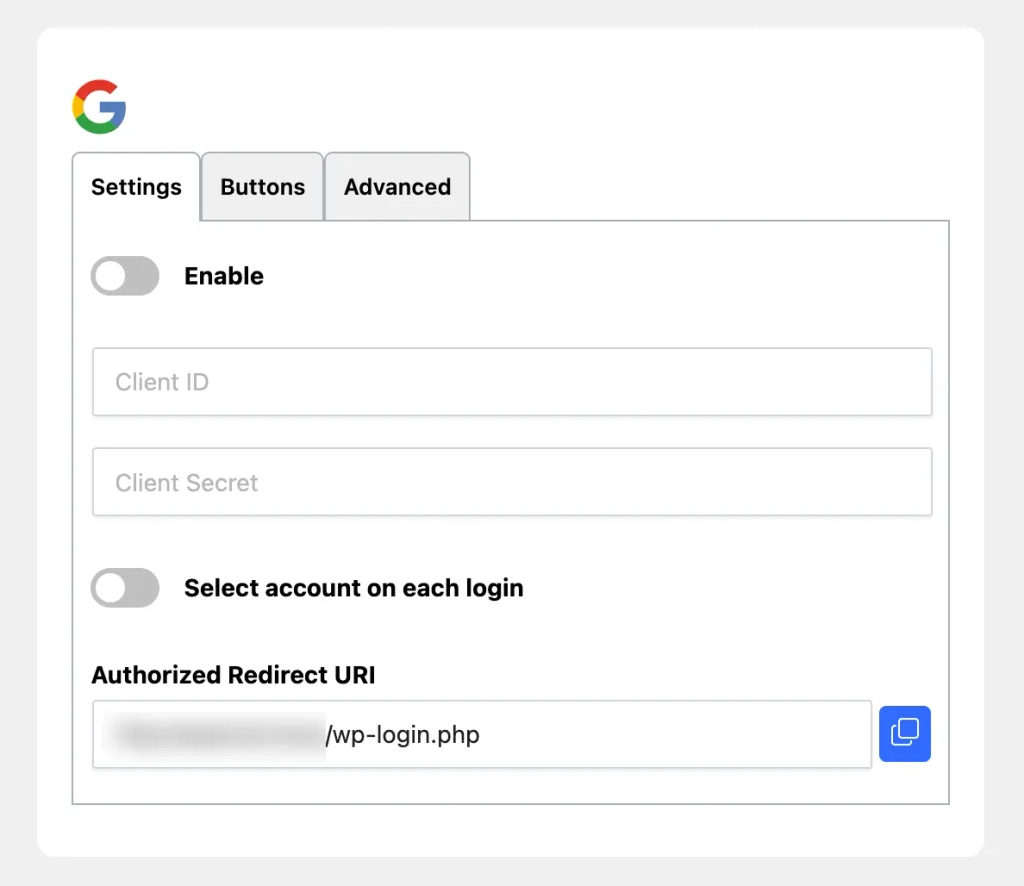
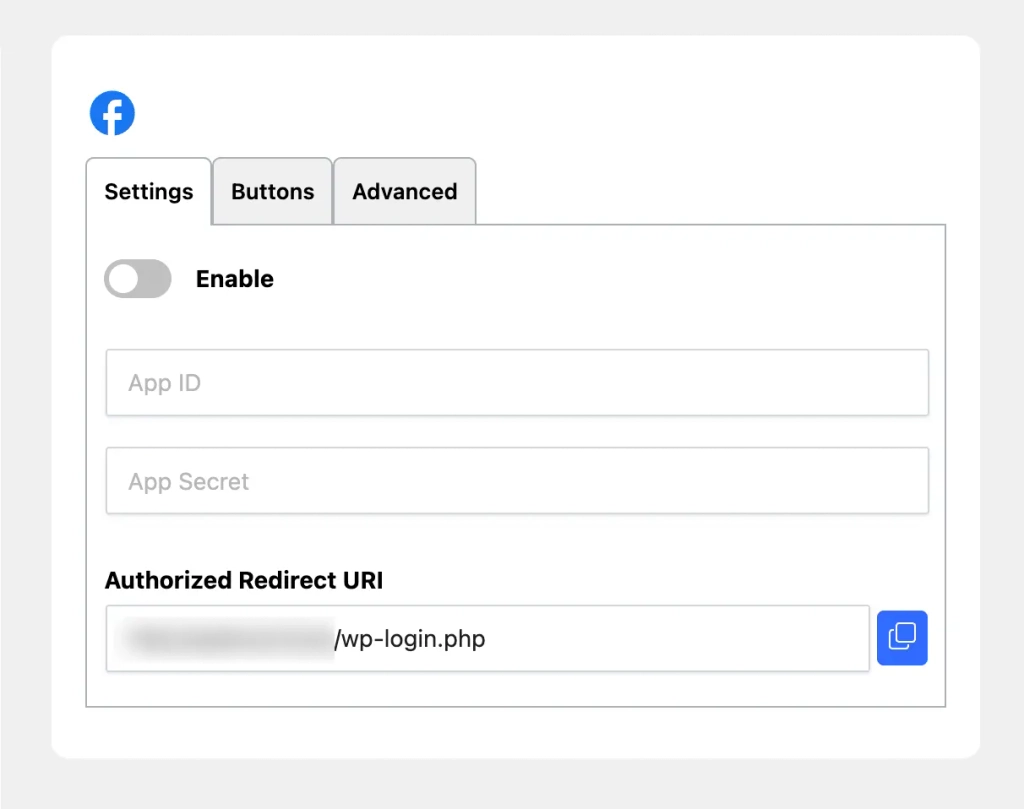
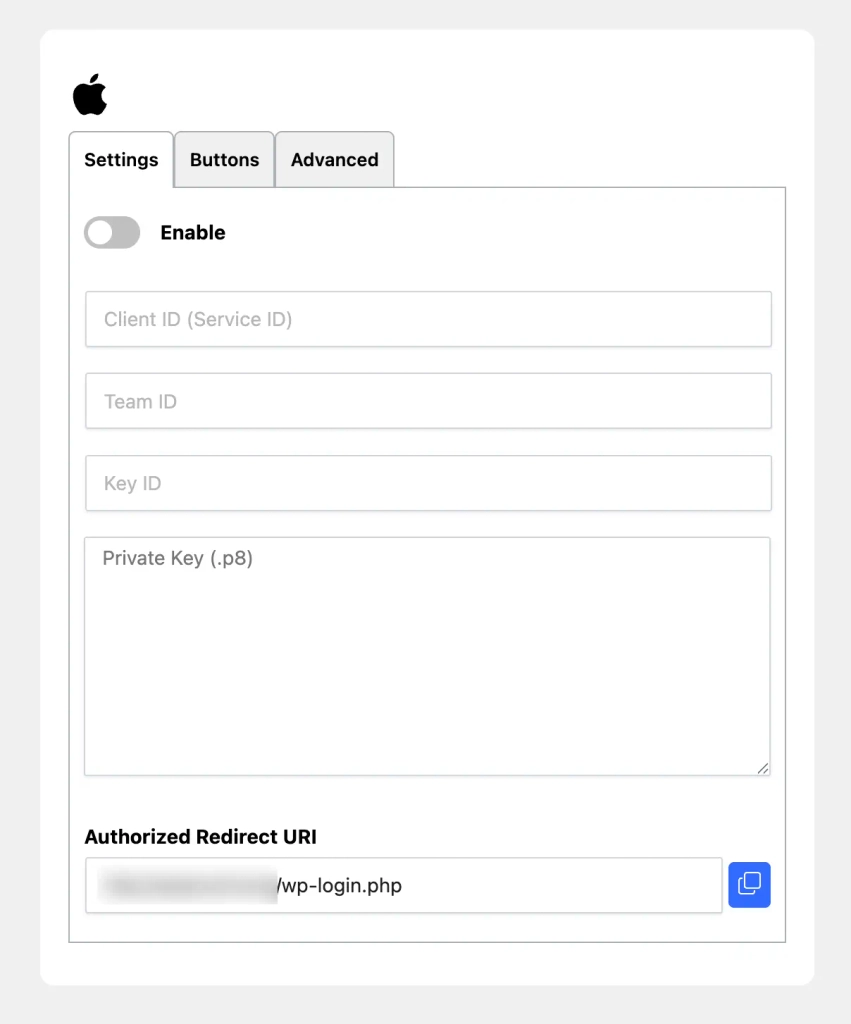
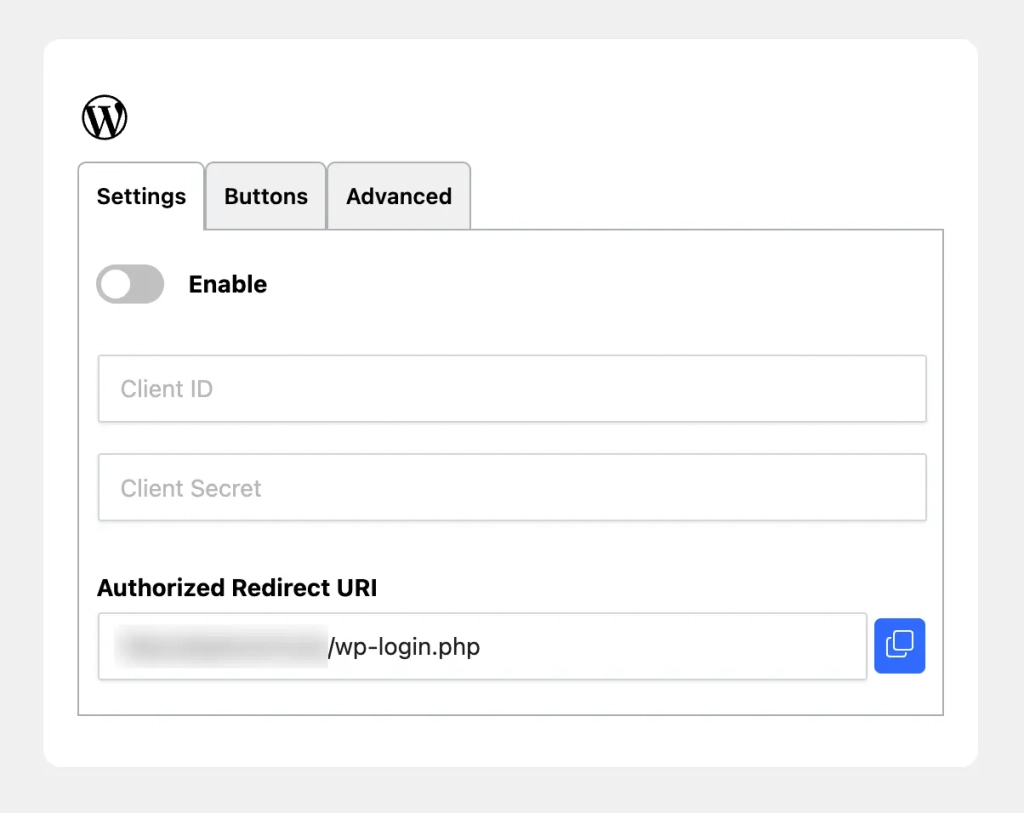
Authorized Redirect URIindicates the address to be registered with the provider. It is usuallyhttps://example.com/wp-login.php, with a different path if WordPress is installed in a subdirectory. Copy the displayed value exactly as it appears: the protocol, subdomain, and path must match. This is neither the address of your “My Account” page nor a login link. Do not add any parameters from a tutorial for another plugin.
Google Free
- Create a Google project. See you in Google Cloud Console, create or select a project, then open Google Auth Platform, which is also accessible from the OAuth consent screen, depending on the interface. Enter your application name, support address, and contact information. In
Audience, select an external audience if the link needs to be accessible to Google accounts outside your organization. - Configure consent and the client. In
Branding, enter your website's information, its legal pages, and its authorized domain. InClients, create a client of typeWeb application. Add the URL you copied from WPMasterToolkit toAuthorized redirect URIs. Note: The "Allowed JavaScript Origins" field does not replace the "Redirect URIs" field. - Save the login credentials. Retrieve the
Client IDand theClient Secret, then enter them in the corresponding fields for Google in WPMasterToolkit. Keep the secret safe as soon as you create it: Google may no longer allow you to view it later. Enable Google withEnable, select the ad placements inAdvanced, then save. The optionSelect account on each loginallows you to be prompted to select a Google account each time you sign in. - Set up public access. Check the audience, publication status, and any validation requirements displayed by Google. The module requests permissions
openid,emailandprofile: It does not require access to Gmail, Drive, or contacts. According to the Google documentation, these non-sensitive authorizations do not, on their own, require verification of sensitive access; however, the display of the name and logo may require trademark verification.
Facebook Pro
- Create your Meta app. Open Meta for Developers and create an app. Select the use case that allows users to authenticate with Facebook Login. Enter a recognizable name and a contact email address. If Meta asks you to link the app to a business portfolio, use the one for the organization that operates the site.
- Set up Facebook Login. In the use case customization, add the permission
emailin addition topublic_profile. In the Facebook Login settings, enable OAuth client and Web logins if these options are available. Add the exact URL provided by WPMasterToolkit inValid OAuth redirect URIs, then save. - Complete the public information. In the app's general settings, enter the domain, website URL, category, icon, and legal pages. To
User Data Deletion, select the "instructions URL" option when it is available, and provide a page that actually explains how to request data deletion. Do not enter an automated processing address that your site does not have. - Link and publish the application. Postpone
App IDandApp SecretIn WPMasterToolkit, enable the provider and test it using an account authorized within the app. To make the app available to the public, complete the business verification required for advanced access, the required App Review steps, and then publish the app. A successful test with the app owner does not prove that visitors can log in. Check out the Meta Publication Terms and Conditions and then monitor requests for data usage reviews.
Apple Pro
- Check Apple's system requirements. Sign in with Apple requires an active membership with the’Apple Developer Program, priced at $99 per year, with possible regional variations. This cost is separate from WPMasterToolkit Pro. Apple requires that the site be linked to a primary App ID that is compatible with Sign in with Apple; a standard personal Apple account does not provide the necessary configuration information.
- Prepare the primary App ID. In
Certificates, Identifiers & Profiles, openIdentifiers. Create or select an explicit App ID that's appropriate for your application, and enable the featureSign in with Apple, then save. Use a unique identifier in reverse domain format, for examplecom.example.memberapp, and keep the same development team for related items. - Create the site's Services ID. Add a type identifier
Services IDs, then enable "Sign in with Apple" in its settings. Link it to the primary App ID. InDomains and Subdomains, specify the relevant domains; inReturn URLs, paste the HTTPS URL displayed by WPMasterToolkit. The Service ID, for examplecom.example.memberweb, will be theClient IDmodule ID: Do not confuse this with the Bundle ID. - Create the key and fill in the module. In
Keys, create a "Sign in with Apple" key associated with the primary App ID. Download the private key and save it immediately: it can only be downloaded once. In WPMasterToolkit, enterClient ID (Service ID),Team ID,Key IDand the entire contents of the key inPrivate Key (.p8), including its delimiters. The module handles the generation of the client secret; there is no button for manually generating a token. - Be prepared for Apple's unique features. The first and last names are generally provided only upon initial authorization, and Apple does not provide a profile photo. Users can share a relay address instead of their personal address. To send them messages, configure your domains or senders in the Apple Private Pickup Service and their SPF/DKIM authentication. Also test the authentication response: Apple uses a cross-site POST request, which is affected by server security measures and browser cookie policies.
X Pro
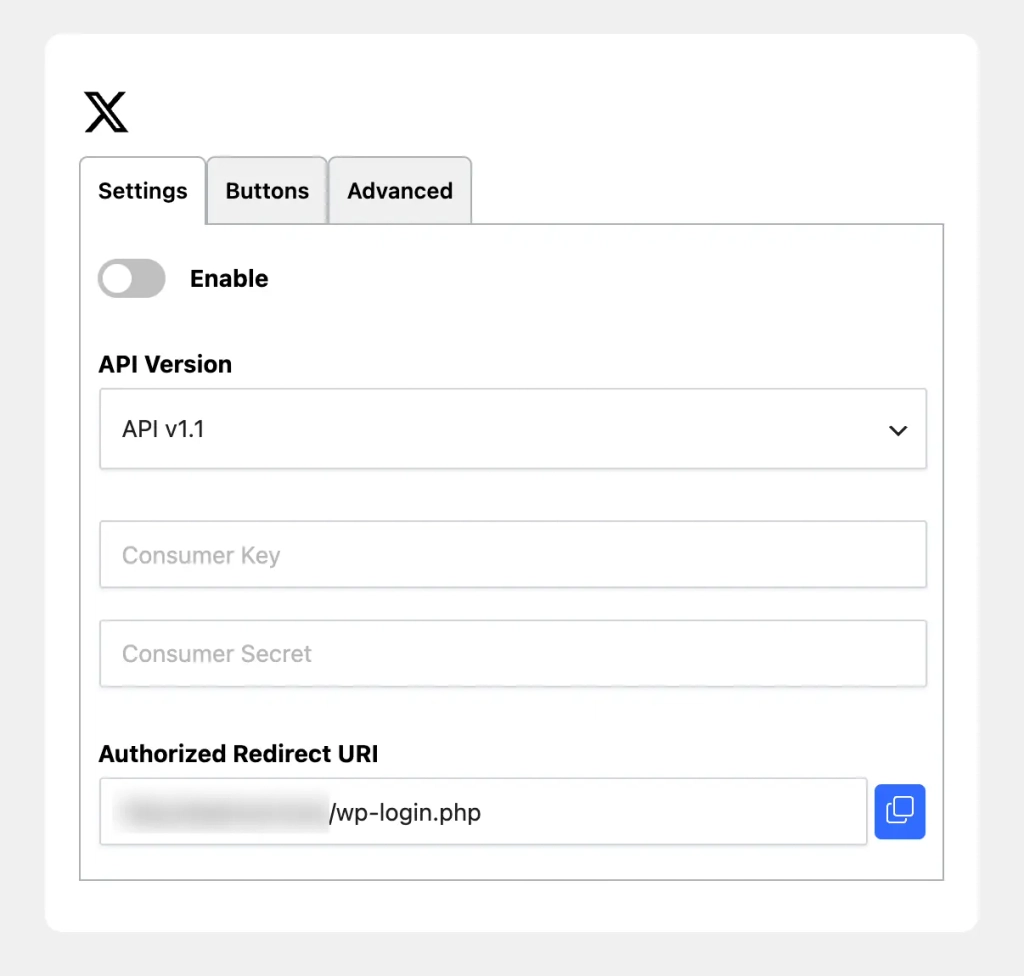
- Create your developer app. Go to the X Developer Console, complete the sign-up process, and create your application. In the user authentication settings, choose a web application type that can store a secret, typically
Web App, Automated App or Bot. Enter the website URL and the WPMasterToolkit return URL. - For the v1.1 API: Enable OAuth 1.0a and select the read permissions. If your X account supports this API and you want to retrieve the email, enable
Request email from usersand enter the URLs for the privacy policy and terms of use. In WPMasterToolkit, selectAPI v1.1: the’API KeymeansConsumer Key, and the’API Key SecretàConsumer Secret. - For the v2 API: Enable OAuth 2.0, retrieve the confidential client IDs, and then select
API v2in WPMasterToolkit. EnterClient IDandClient Secret, not the v1.1 Consumer Keys. The module uses PKCE and requiresusers.read,users.emailandtweet.read. The Current X documentation provides access to email viausers.email, subject to the authorization granted and the available data. - Check the costs and limits. L'API X is currently billed on a pay-as-you-go basis, with credits and limits to monitor. The WPMasterToolkit Pro license does not cover these requests. Test profile and email retrieval using your actual application, then check your budget and request limits before exposing this provider to a large audience.
Microsoft Pro
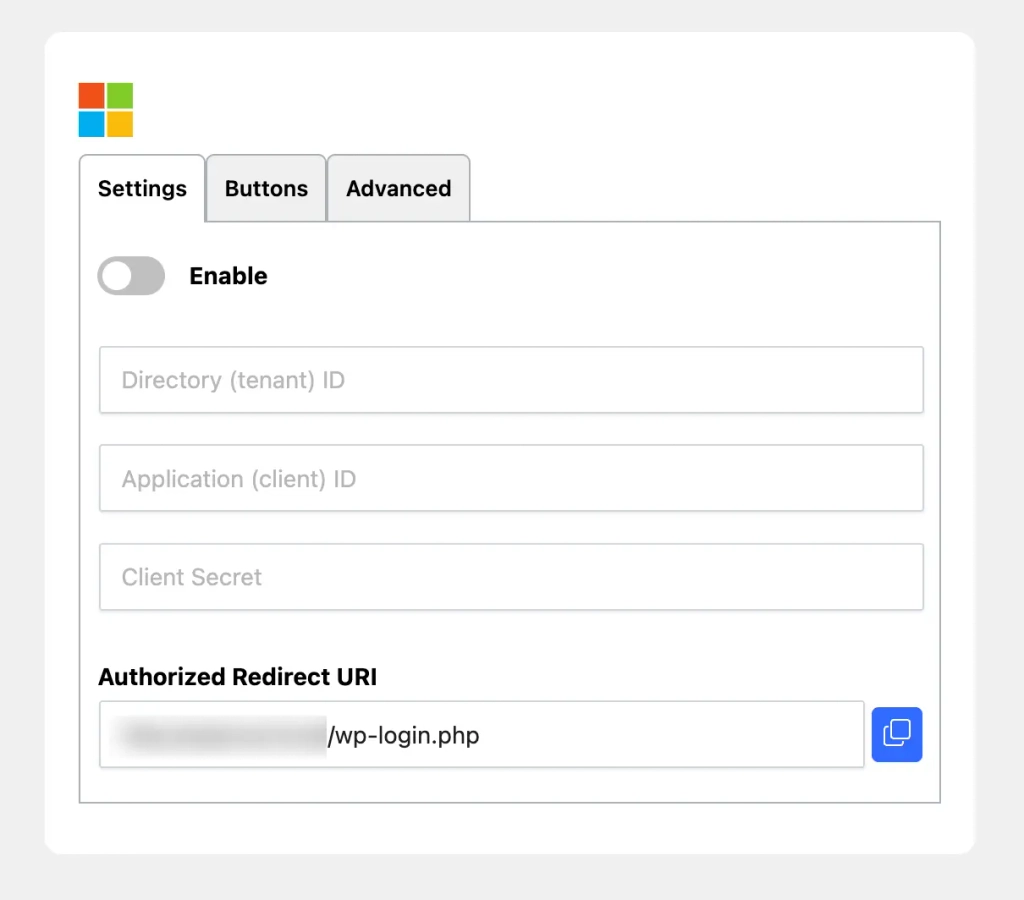
- Register an app. In the Microsoft Entra Admin Center, open
App registrationsthenNew registration. Enter the name and types of authorized accounts. For an audience that includes both businesses and individuals, select the option that covers Microsoft Entra directories and personal Microsoft accounts. You must have the necessary permissions to create applications in your directory. - Set up returns and permissions. In
Authentication, add a platformWeband the WPMasterToolkit return URI. InAPI permissions, check the Microsoft Graph delegated permissionUser.Read. The module also requiresopenid,profileandemail. According to the organization's rules, a director must give his or her consent. - Create a customer secret. In
Certificates & secrets, add a secret and note its expiration date. Copy its value, not its technical identifier: this is the value that must be entered inClient Secret. Also, enter the’Application (client) IDin the module and make sure to renew the confidentiality agreement before it expires. - Choose the right directory. The field
Directory (tenant) IDaccepts the connection target: the identifier of a specific directory for an organization,organizationsFor business and school accounts,consumersfor individuals, orcommonfor both categories. This value must match the account types allowed in the application. Enable the provider, save the settings, and test each account category you want to support.
LinkedIn Pro
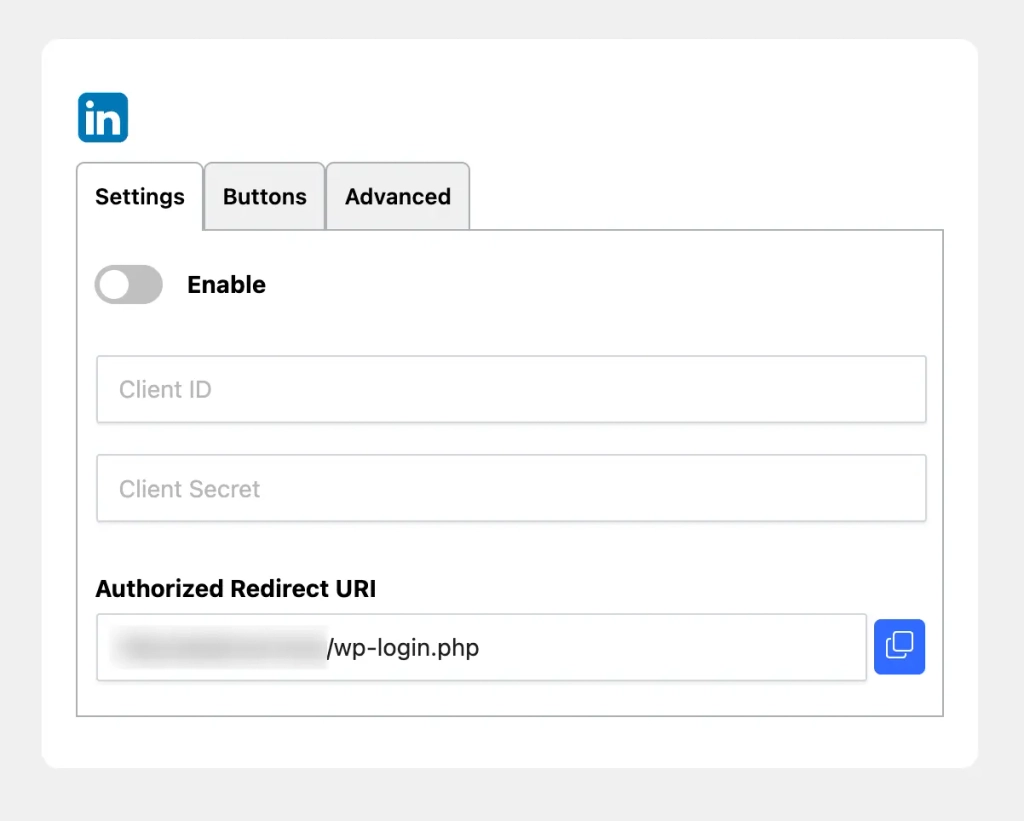
- Create and complete the application. In LinkedIn Developers, create an app with the required information, including its name, logo, associated LinkedIn page, and privacy policy URL. Complete the page association verification when prompted. In the tab
Products, ask for the product Sign In with LinkedIn using OpenID Connect. - Set up OAuth. After activating the product, check the permissions
openid,profileandemail. InAuth, add the WPMasterToolkit redirect URL and retrieveClient IDandClient Secret. Enter them in the LinkedIn provider, enable it, and save. This connection provides access to authorized profile information; it does not constitute verification of the visitor's civil identity or employment status.
GitHub Pro
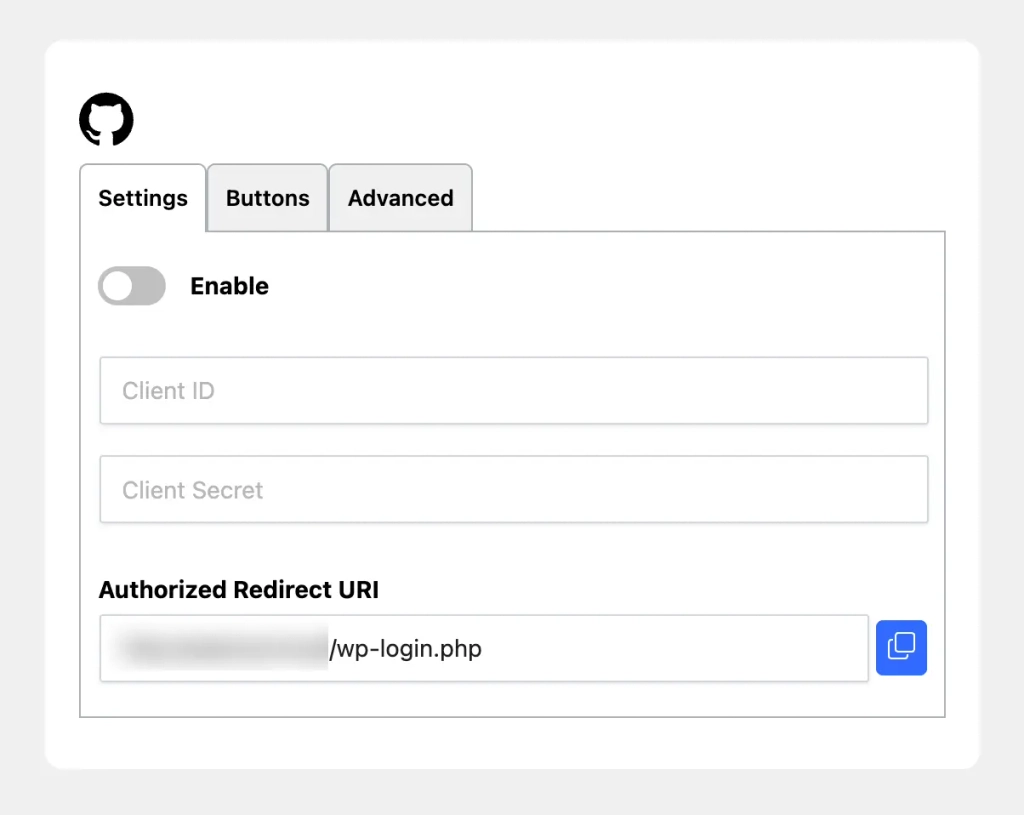
- Create an OAuth app. In GitHub, open
Settings,Developer settingsthenOAuth AppsandNew OAuth App. Enter the name, the home page URL, a helpful description, and the’Authorization callback URLCopied from WPMasterToolkit. Be sure to choose a OAuth App, rather than a personal access token or a GitHub App, to follow this setup. - Link the credentials. Register the application, generate a client secret, and then report
Client IDandClient Secretin WPMasterToolkit. The module asks forread:useranduser:email, without requesting access to the repositories. If there is no public email address, it attempts to retrieve the primary verified email address authorized by GitHub. Enable the provider and also test an account with a non-public email address.
WordPress.com Pro
- Register a WordPress.com app. Log in to the WordPress.com App Manager Sign in with a WordPress.com account, then create an app. Enter the requested information, your site's address, and the
Redirect URIprovided by WPMasterToolkit. If the form distinguishes between web apps and native apps, select the "Web" type. - Configure the WordPress provider. Recover
Client IDandClient Secret, then enter them in the provider named "WordPress" in the module. This provider uses authorizationauthto access the profile required for the connection. This is indeed a connection to WordPress.com, not a universal login using the credentials from any independent WordPress site.
Customize the Display
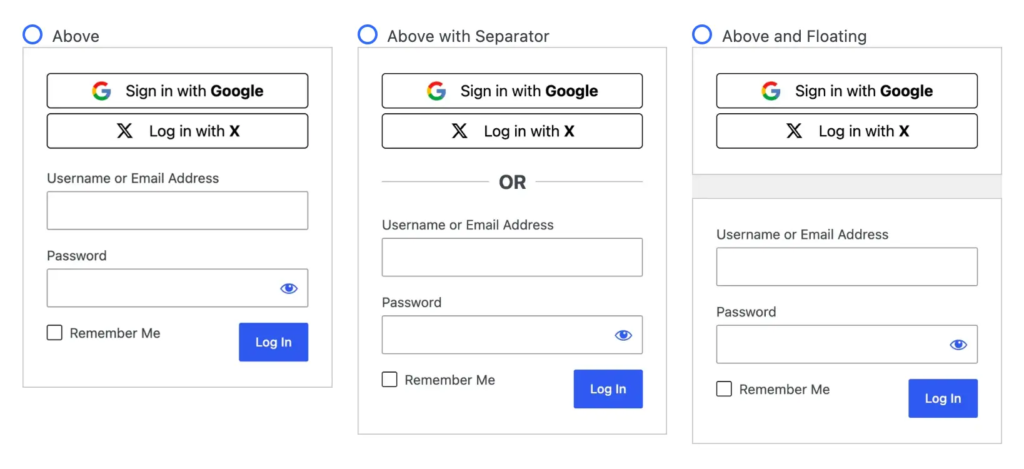
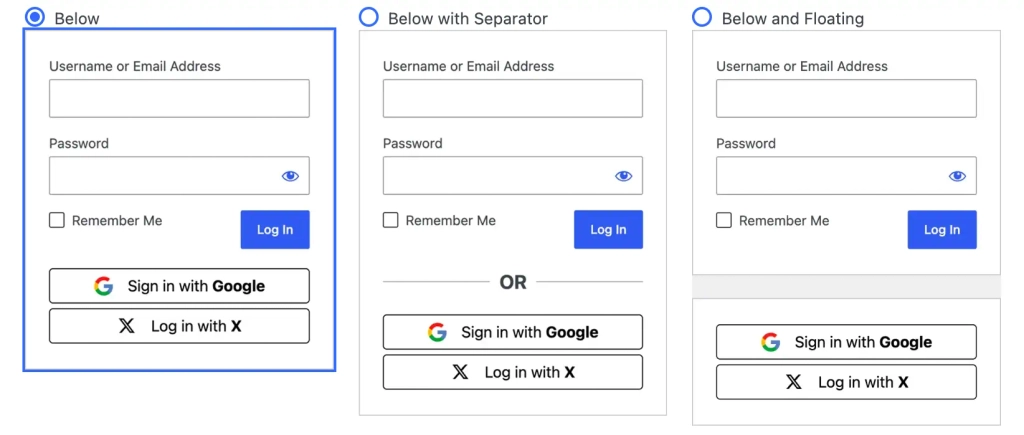
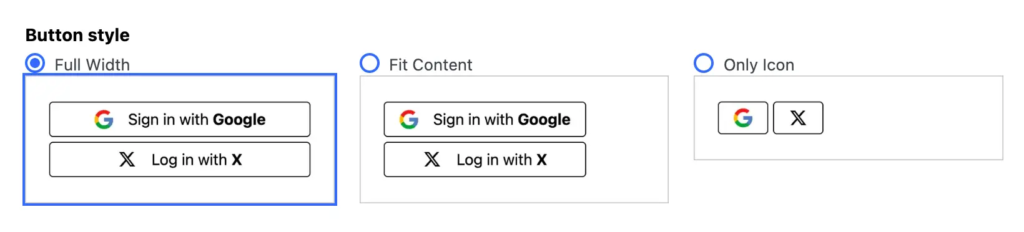
Global settings allow you to place the buttons above or below the form, with or without a separator, or in a floating layout. Choose between full width, content-adaptive width, and icons only; the alignment applies to compact layouts. In Buttons, customize separately Login Label and Register Label, then choose a light, dark, or neutral theme. Use clear and descriptive labels and follow the suppliers’ branding guidelines. In Advanced, you can also set an ID prefix, the registration role, and—depending on the provider—the size of the imported avatar.
WooCommerce and Accounts
Enable the option WooCommerce in Advanced to display the vendor on the standard "My Account" login and registration forms. Whether the registration form is displayed also depends on the WooCommerce settings, but The creation of new user accounts depends on the general WordPress registration settings. The module first searches for an existing social media account linked to the user, then for an account using the same email address; if neither is found, it attempts to create a new account with the user’s authorization. Even a “Log In” button can therefore lead to a new registration. From the “My Account” page, the back button navigates to this page. Outside of this context, the module prioritizes the admin panel for an administrator, then “My Account” if available, and otherwise the home page. Display on the checkout page or in custom forms is not automatically guaranteed.
Testing and Troubleshooting
Before going live, test each provider in incognito mode using a new account, an existing account, and, when necessary, a user outside the development team. Verify the assigned role, email address, redirects, a second login attempt, and mobile rendering. Test WordPress and WooCommerce separately. The presence of a button does not validate login credentials: only a complete login flow can confirm proper functionality.
In the event of redirect_uri_mismatch, Invalid redirect_uri or URL blocked, compare the addresses character by character. To invalid_client, check the username-password pair and its expiration date. Access restricted to developers often indicates an incomplete publication or incomplete permissions. If no button appears, verify that the feature is enabled, check the required credentials, and confirm the selected location. If you are redirected without logging in, check the cookies, cache, and security settings of the redirect page without disabling the site’s security globally.
Frequently Asked Questions
Do visitors have to pay? They do not need to purchase WPMasterToolkit Pro to log in. The license applies to the site owner; any developer or API fees are separate. Is email still available? No: Whether it appears depends on the provider, the account, and the permissions. An Apple relay address or a different address may prevent the system from finding the expected account.
Is the standard form still available? Yes, the module adds an alternative. Keep a separate method for restoring access. Does the module automatically ensure that the website complies with the GDPR? No: Document the data used, its purposes and retention period, the vendors involved, and the procedures for deletion. Authorization to log in does not constitute consent to receive a newsletter.
Choose Le Pro
Start with Google to offer an initial social login option, then tailor the options to your audience. WPMasterToolkit Pro lets you bring all eight providers together in a single interface, with consistent display settings for WordPress and WooCommerce. The point isn’t to cram in as many buttons as possible, but to offer the accounts your visitors actually use. Whether you’re running a store, a community, or multiple client sites with different audiences, this flexibility is the Pro plan’s main advantage. Learn about the WPMasterToolkit Pro offer and its terms and conditions.