

 EN
 FR
 ES

Admin Boost Module: Temporarily speed up administration by blocking external requests
A slow WordPress installation is often caused by plugins that query external services every time a page loads: license verification, template libraries, statistics, news, and so on… Admin Boost Temporarily blocks these outgoing HTTP requests—only for your session, for the duration of your work session. Other administrators and visitors are not affected. The module is free; the Pro version includes longer time limits, rules, and a diagnostic tool.
Which plugin can this module replace?
Admin Boost provides the same service as the constant WP_HTTP_BLOCK_EXTERNAL or extensions that block requests, such as Snitch, but only temporarily, reversibly, and limited to your session. In the Pro version, its diagnostic log also replaces the «HTTP API Calls» tab in Query Monitor to identify which extension calls which service.
Main features
A boost with just one click
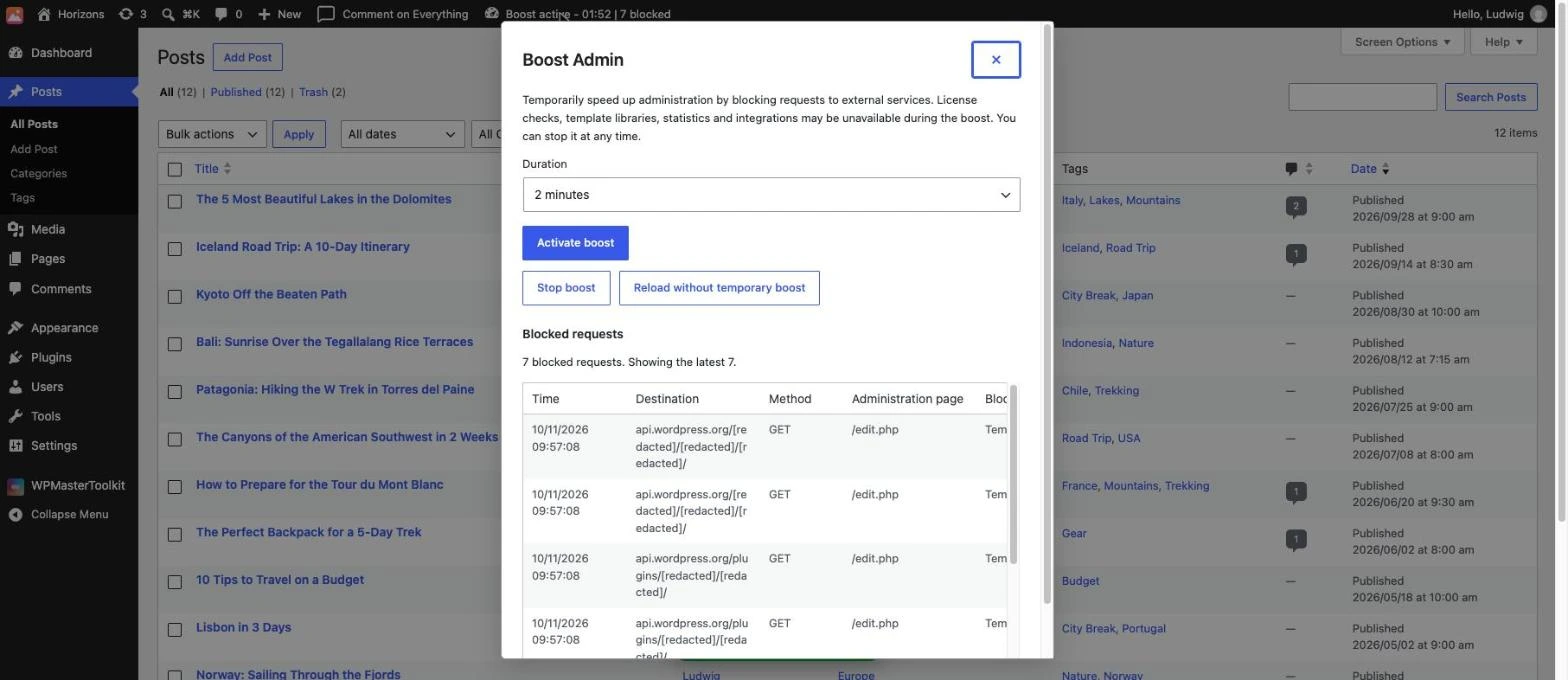
Click «Boost Admin» in the admin bar, select the duration, and click «Activate boost.» The bar will then display a countdown timer and the number of blocked requests. The menu offers «Stop boost» to stop the boost and «Reload without temporary boost» to reload the page without blocking.
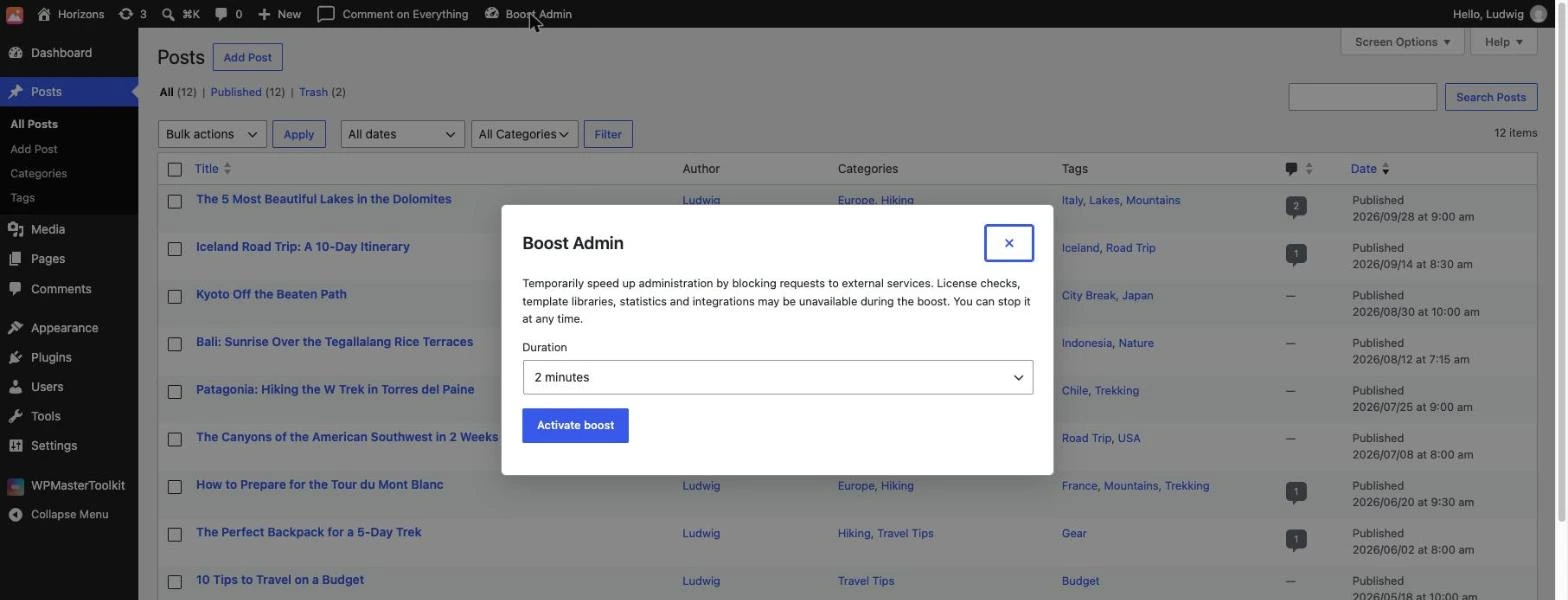
- Free version: 2-minute boost.
- Pro Version: 10, 30, or 60 minutes, or «Until stopped or logged out.».
What Is Never Blocked
The block applies only to requests to external servers made while viewing administration pages. The following remain permitted: requests to your own site and local addresses, AJAX, REST, cron, and WP-CLI requests, form submissions, as well as sensitive screens (updates, installation of plugins and themes, settings, import/export, site health, Customizer, etc.).
External Query Rules (Pro)
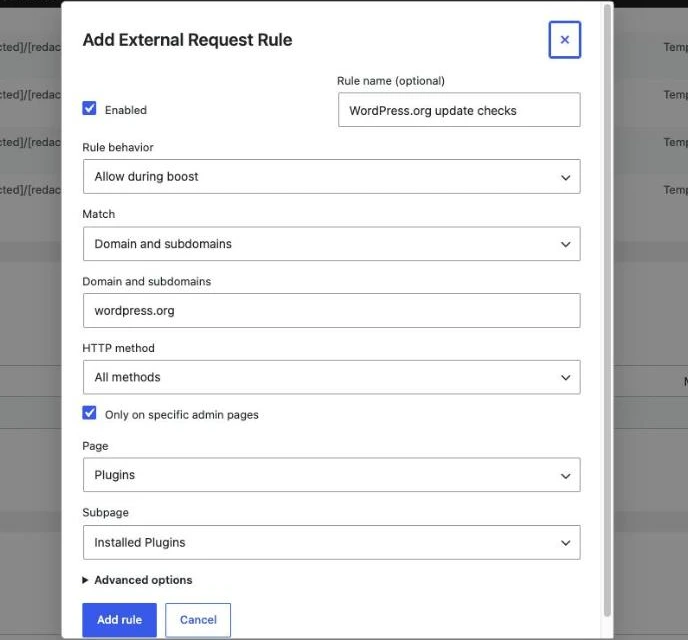
Create up to 100 rules, which are applied in the order they appear in the list:
- Three behaviors: «Allow during boost,» «Always allow in admin,» or «Always block in admin» (block a service permanently, even when not in boost mode).
- Five types of correspondence: Exact URL, URL prefix, exact domain, domain and subdomains, regular expression.
- Additional filters: HTTP method and, if necessary, restriction to certain pages in the administration interface.
Excluded Pages (Pro)
Exclude up to 50 administrative pages (exact path, prefix, or regular expression, with or without URL parameters) where nothing is blocked—for example, a screen from an extension that requires its API.
Debug Log and Blocked Requests (Pro)
- Debug: «Observe for 10 minutes» logs all external requests from visited pages—whether allowed or blocked—along with the originating page, the decision, the result, the duration, and the extension or theme that triggered the request. From a log entry, you can create a rule or an exclusion with a single click.
- Blocked requests: the list of requests blocked during the current boost.
- These logs are specific to your session, limited to 500 entries, and retained for 24 hours. Addresses are truncated, and no request content is logged.
How to use this module
- Activate Admin Boost in WPMasterToolKit.
- In the admin bar, click «Boost Admin,» select the duration, and click «Activate boost.».
- Work as usual: the counter shows how many requests have been blocked.
- If a function requires an external service (license, template library, etc.), click «Reload without temporary boost» or, in Pro, create an authorization rule.
- In Pro, launch Debug mode from WPMasterToolkit > Admin Boost to identify the services that are slowing down your agency.
Our technical choices
- The block is based on the filter
pre_http_requestof the WordPress HTTP API: the request is never sent, and the plugin immediately receives an error instead of waiting for a response. - The boost status is stored in your WordPress session token: it applies only to your browser, on the current site, and expires at the latest when you log out. No cron jobs are required.
- During the boost, some features may be unavailable (license checks, template libraries, statistics, integrations): that's how it works, and you can stop the boost at any time.
- Disabling the module immediately cancels all active boosts; its tables and settings are deleted upon uninstallation.
Conclusion
Admin Boost offers a simple, risk-free way to restore responsive administration in just one work session. The free version lets you test its effectiveness in 2 minutes; the Pro version turns it into a full-fledged tool for managing external requests, complete with rules, exclusions, and diagnostics.